Tests
Latta offers a node based builder for testing your web apps and REST APIs.
The nodes editor
Latta lets you build your tests using simple node editor, the nodes are built to be as easy and as powerful to use.
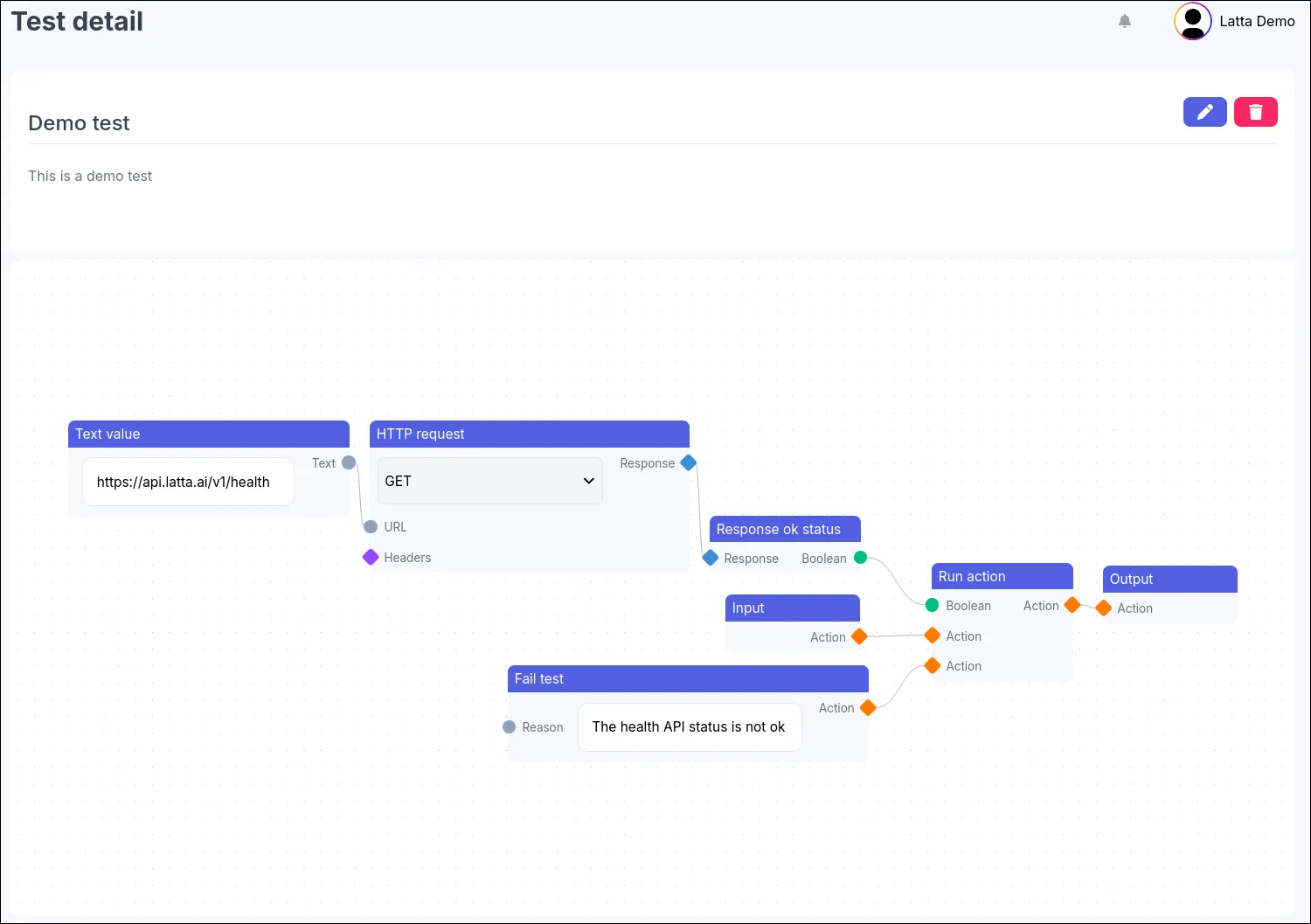
How does the node graph work
It all begins with an Input node, this node is the entry point of your test and can only be one and it can not be deleted from the graph.
The next semi-important node it the Output node, this node should signalize the end of happy path of your test but it has no real value.
As stated before it all starts from the Input node, notice it has an output Action handle, this is one of the handle types Latta supports
and it tells the test runner to navigate to the next step, in case of no next step the test ends but you should strive to always end the graph
with the output node.
The other handle types are Boolean, Number, Text, Element, Response and Object, out of these primitive types you can build
complex tests.
Branching
As stated before the test runner follows the Action handles and it is not allowed to loop back, for this we have a special Run action node
which let’s you execute a different branch of the test before continuing to a next step, this can for example be used to manually finally
the test with a custom Reason error message.
In the next you are going to learn more in depth about test collections.