Latta tasks
Tasks are a very handy way of delegating work to the members of your projects.
You might find all of the task you have access to from the sidebar or alternatively inside of each projects.
The home page
The Latta projects house and organize all of the tools Latta has to offer to help you develop and test you projects.
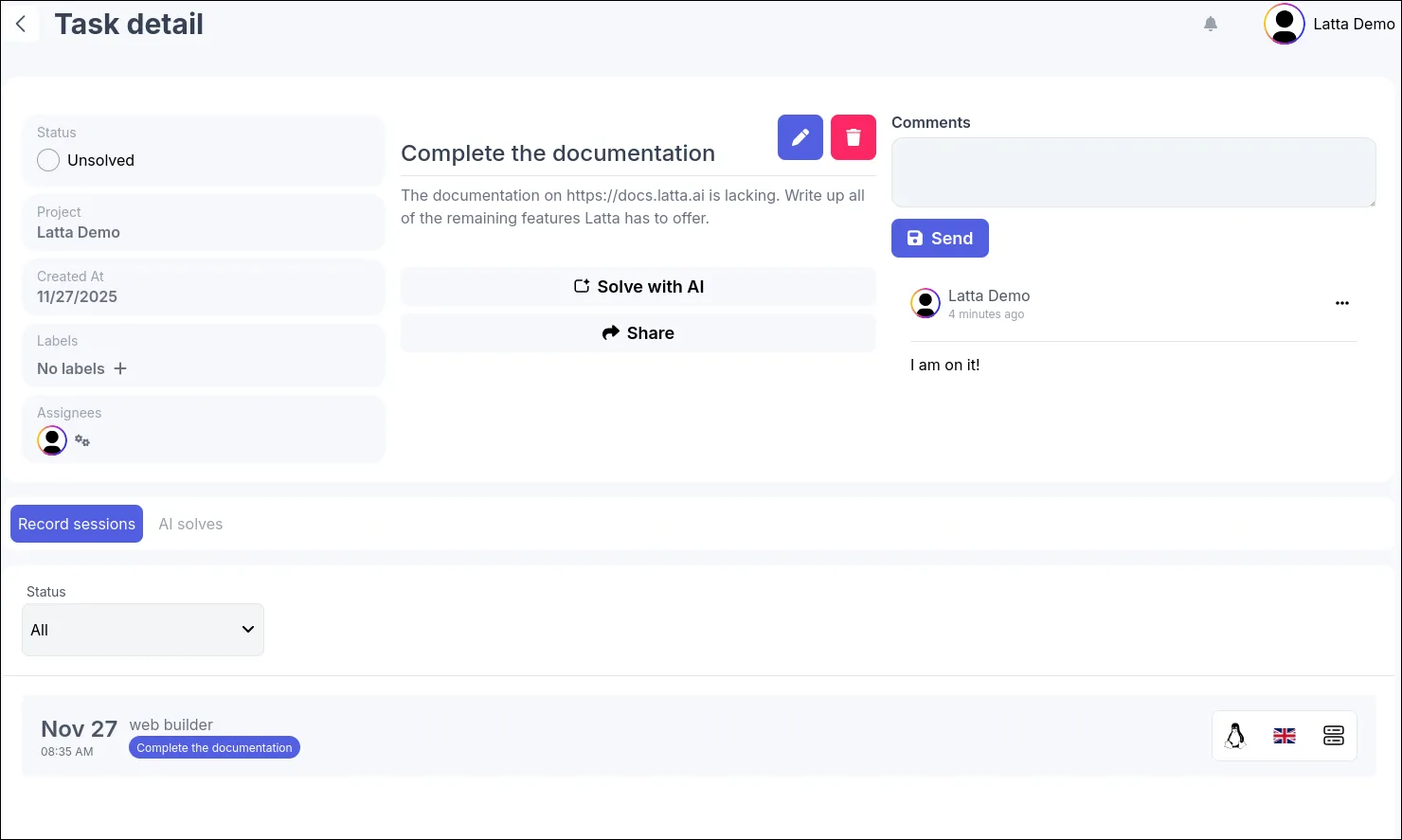
Each task has a title and an optional description, you can assign tasks to members of your projects and organize them by setting task labels.
Best practices
When you create a new task you might want to assign different members. When creating a new task you can setup two rules. Approval rule and Solved rule
Approval rule
This rule is used to prevent a task from being marked as Solved.
Available rules
- All assignees (All assigned members have to mark task as solved)
- Some assignees (A certain number of assignees have to mark task as solved)
- Some project members (A certain number of project members have to mark task as solved)
- Task author (The task author has to mark task as solved)
If this rule is setup the Latta is going to prevent the task being marked as solved.
Solved rule
This rules changes the Solved status when a certain condition is met.
Available checks
- Approval rule is not met (When the task is set as solved but someone changes their approval status it reverts the task to being marked as unsolved again)
- New record session is added (When new session is added to the task the task is going to be set to unsolved)
Comments
While working on the task the assignees can chat about it using the comments features, all relevant parties are going to receive notifications whenever new comment is created.
AI solves
When you connect one or more repositories to you project you can let Latta AI help you with completing the task.
You can simply give Latta an instruction and it is going to intelligently use all of the available data to help you complete the task.

When the Latta AI finishes you are going to be notified and you are going to find the result of the work in the AI solves tab.
Task sharing
If you ever get stuck you can use Latta’s task share feature to share data publicly with people who are not members of your project.
Very useful when you need to share for example a small module of your project in public forums.
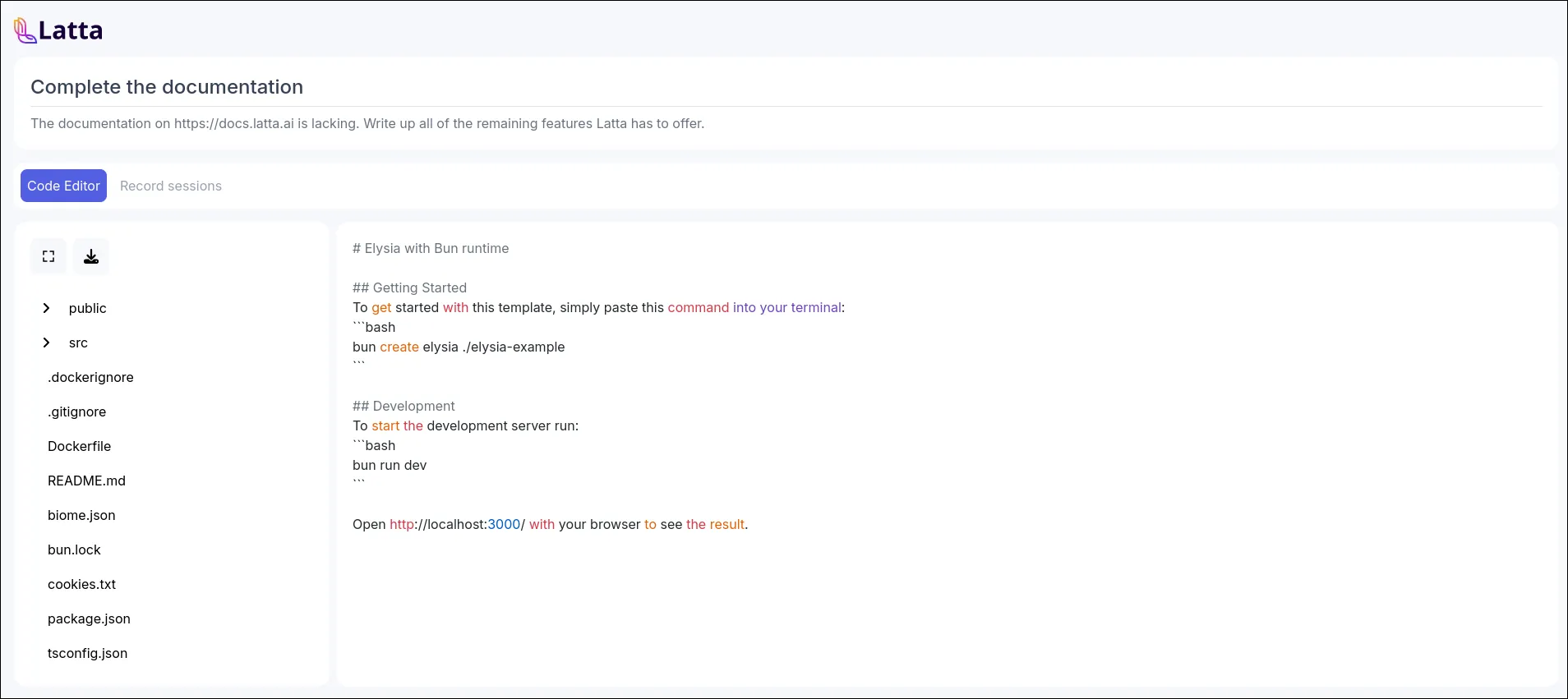
You can choose what to share and once you no longer need help you can safely delete the task sharing and the link is going to get deactivated.
Data you can share
- Task title and description (default)
- Code from your repositories (You can pick out only individual files from individual repositories linked to your project)
- Record sessions (You can opt out of sharing record sessions)